Visual


Preset Level 1 - 4
These options on the upper left are the same as the Easy Mode pre-sets. Here you will have more control over them. Selecting each level will change the presets located on the right. These options include Beat Lines, Background Images, Guidelines, whether or not to Display Scores, Note Labels, Fingerings (when available), and Colored Objects. The slider is to change the contrast or “alpha” of the background image for better clarity of game objects. The default is fully saturated or darkest.
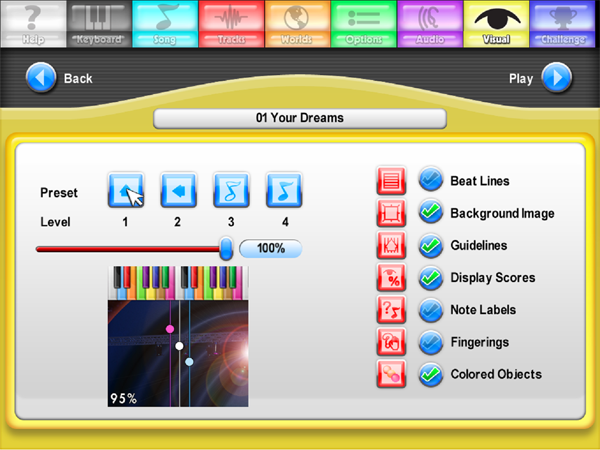
On the next screens we'll provide an explanation of each level as the presets are determined.
Created with the Personal Edition of HelpNDoc: Full featured EBook editor