
Unlock the full potential of your musical journey with our enchanting Piano Wizard Academy Learning System!
Here’s how to make the most of this transformative experience.
Making music child's play™
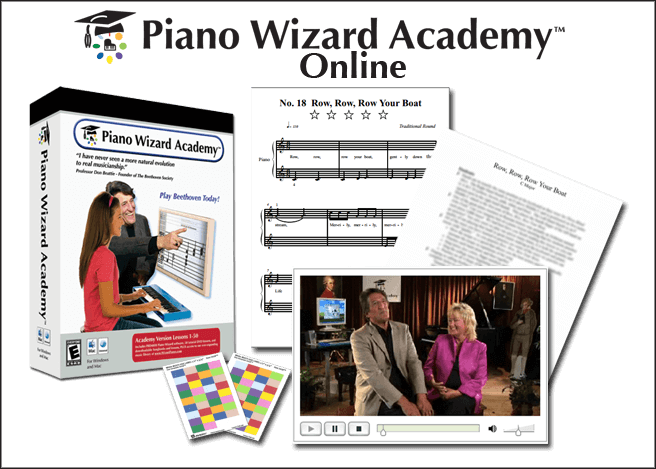
Piano Wizard is a super fun video game with a secret mission—to help you learn real music without even noticing! 🎮🎵
The game is easy to play, but to get the best results, here’s what you should do:
- Start with the Academy QuickStart Course in the Campus courses section—this will help you get started fast!
- Check out the Piano Wizard user’s manual in the Helpdesk if you want to learn more.
- Install and register the game, then explore and practice a little.
We won’t explain everything here because there are tons of helpful instructions in the Tutorials section, the Piano Wizard Companion, and the Virtual Campus Member Forum.
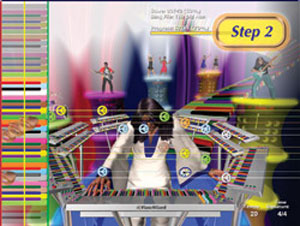
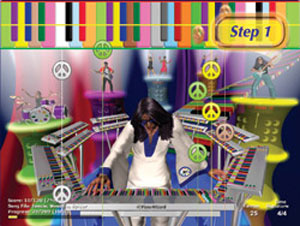
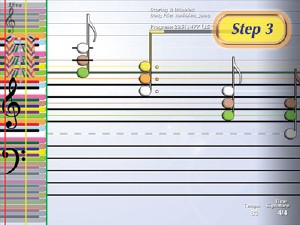
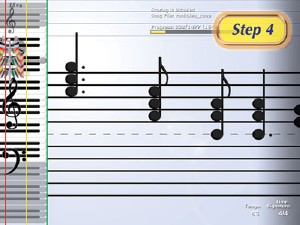
The basic idea:
Though each person will eventually develop their own styles and methods, the most popular and effective way to learn through our system is by following the method outlined below.
Start at Level 1, and as you get better and score higher, you move up to Levels 2, 3, and 4.
- Enable RIGHT HAND only, LEVEL 1.
- Set an acceptable points goal for yourself. Once you meet this goal, switch to the next level, staying only with your right hand.
- Once you have mastered the song through Levels 1-4, with your left hand, switch to left and right hands together and again, repeat the process.
- Once you master your first song with both left and right hands, it's time to move on to the next song.
There’s also a Level 5—but that one isn’t in the game. That’s when you try playing on a real piano! 🎹 If you don’t have one yet, no worries—you can always play in free-play mode.
After your lessons, head back to the Forum on Campus to share your stories, ask questions, or get help from us and our team, Don and Delayna.
Ready? Let’s have fun and make some music magic! ✨🎶
Who Is This For?
For You (grown-ups and teens):
The first lessons might seem really easy—that’s okay! They help you learn how the game works. The lessons get harder as you go. Have fun and don’t give up! You can change the colorful pictures if you want.
For Your Kids:
Piano Wizard isn’t like a regular video game kids play alone. It works best when you help and cheer your child on. If you don’t, kids might get bored and just play around.
The videos are for parents to help kids learn, and the game helps kids practice. But you need to help them play the piano, not just the game! 🎹
If you follow the steps, kids can start reading real music in just 15 minutes! Kids often learn fast, so remind them to take their time and finish each level before moving on.
Here’s a secret: Kids pay attention to what YOU care about.
Give them star stickers when they finish levels. ⭐
Get excited when they play real music from sheet music. 🎶
Celebrate every song they finish.
Helping your child learn piano is fun and brings you closer. You’ll both remember these happy times! 🎉💖
The game is like training wheels for the piano. Kids will grow, move on to other teachers and instruments, and fall in love with music. You can add new songs anytime. It’s a fun music adventure for life!
For Parents / Teachers: Mastering the art of the game
We will point you to extensive online resources for you to learn the program backwards and forwards, so you can play and teach how to play it effectively.
The first and best resource is to watch the Piano Wizard Academy Quickstart Vidoes, at our Virtual Campus. This will give you an overview how the whole program works, as well as an in-depth demo of how to teach Song 1 (Your Dreams) all the way to level 5 (reading sheet music).
Mastering that one skill will give you the confidence and ability to effectively demonstrate and sell the product to virtually anyone interested. All your other skills, with the game, with the setting up of a home party, with other online marketing tools, will build from that simple core.
The second resource is also "in game", Piano Wizard Academy comes with
1) A set up poster
2) A set up video on the software CD
3) The Help/Demo Flash videos showing every screen and every button (Access from the main opening menu of the software)
4) Inside the game, those tutorials above are accessible from the Help tab on the far left in Premier mode
5) Online at pianowizardacademy.com click on the Support tab. From there you can find many tutorials, a user manual, and FAQs.
The third resource are the following training videos. The first demo shows Maria, age 10, playing a fairly complex song from book One on all five levels, all the way to reading the sheet music. It is the base for the next video "How to Demo Piano Wizard Academy". Watch this video first, then "How to Demo Piano Wizard Academy", and then finally there is a "How to Demo: Quick Summary". Watching and studying these 3 videos will empower you to do a quick, powerful and successful demo of the full range of capabilities of the Piano Wizard Academy system.
How to demo Piano Wizard like an old pro
Finally, the demo can be done with any of the songs in Book One or Two, if you are working with either special needs population or someone with lots of doubts about themselves musically, if you wish, start with Your Dreams, song One, Book One. We chose this song "Wings" to show how fast and far they can go even with a song that spans a full octave, but the same principals and sequence can be done with almost any of the first 20 songs with raw beginners. If it is still too complex, have them just play one hand and do the other hand with them, until they feel comfortable. We find, because the hands alternate, they can master both hands right from the start and feel great about it. Have FUN most of all, and be prepared to be truly amazed.
Adding More Songs
How Important Is Fingering?
At Piano Wizard Academy, we teach you how to use your fingers and hands the right way — right from the very first day! Your fingers shouldn’t be too flat or too curled — imagine holding your hands like you’re about to shake a friend’s hand. That’s a good start! 🤝🎹
Big music heroes like Beethoven and Chopin showed us it’s not just your fingers doing all the work — your whole hand and arm help press the keys. Your fingers are the stars, but your hands are the superheroes! 🦸♂️🦸♀️
This helps you play the piano and the game better, faster, and smoother. As you play, you’ll move from the game to real piano — and it’s super exciting to see how much you can learn! 🚀
When you’re comfy with the game, you can turn on fingering mode — that’s where the game tells you which finger to use for each note. You can even pick your own finger numbers in Advanced Mode. Pretty cool, right? 😎
But what is “proper fingering”? It’s just a fancy way of saying “use fingers that feel good and comfy for you.” Everyone’s hands are different, so find what works best for you!
Most songs in the game have fingering help, but some you add might not — no worries! Once you know the basics, you can use those finger skills anywhere.
Here’s a secret trick: sing your finger numbers out loud as you play! 🎤 Kids who sing their finger numbers remember them super fast — it’s like magic! ✨
After you’re good at singing the fingers, try turning off the colors and guides — it’s a fun challenge! Then sing and play on level 4, and watch yourself get even better. 🎉
Check out the music book, find the finger numbers, and sing along again. You’ll feel like a piano pro in no time! 🎵🎹
Ready to watch the videos and dive into the lessons? Let’s make some music magic! 🎶✨